Archive for the ‘MooTools’ category

Paired sort in JavaScript

2010-08-19 – 10:42am

Sometimes, you’ll have two arrays of associated data, and you’ll need to sort them. You can’t just call sort() on both arrays, because that will potentially break the associations between them. What you need is a way to sort one of the arrays, and shuffle the elements of the second array to match. Here’s a simple MooTools function that does just that (using quicksort):

Array.implement({
	pairedSort: function(other, reverse) {
		if (this.length === other.length) {
			for (var i = 0, len = this.length; i < len; i++) {
				var curr = this[i];
				var currOth = other[i];
				var j = i - 1;
				while ((j >= 0) && (this[j] > curr)) {
					this[j + 1] = this[j];
					other[j + 1] = other[j];
					j--;
				}
				this[j + 1] = curr;
				other[j + 1] = currOth;
			}
		}
		if (reverse) {
			this.reverse();
			other.reverse();
		}
		return this;
	}
});

Using this function is quite straightforward:

var alpha = [3,2,1,6,5,4];
var beta = [1,2,3,4,5,6];
alpha.pairedSort(beta);
// alpha == [1,2,3,4,5,6]
// beta == [3,2,1,6,5,4]

When would this actually be useful? Let’s say you’ve got an object which maps numeric assessment scores to an alphabetic grade:

var mapping = {
  'A': 80,
  'B': 60,
  'C': 40,
  'D': 20,
  'E': 0
}

Unfortunately, objects in JavaScript have no intrinsic order on their keys — this is because they’re essentially just hashmaps. What we need to do to be able to make use of these data, then, is create an array of keys, and one of values, and then sort them. The pairedSort() function allows us to do this easily. (In fact, it’s for this exact application that I wrote the method!)

Generative Music

2010-03-21 – 5:08pm

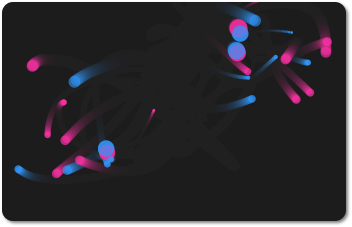
Continuing my HTML5 and canvas experiments, I’ve put together a generative music system. Essentially, a series of particles move across a field, occasionally triggering sounds — the sound triggered depends on their location in the field.

There is, of course, a little bit more to it than that. Under the hood, I’ve got a series of HTML5 Audio objects that are used to provide polyphonic audio using a simple round-robin algorithm (I encoded the audio in OGG, so you’ll need to use an OGG-friendly browser, like Firefox). The particles are much simpler than those in my previous canvas dalliance, in that they don’t swarm, and their motion is more linear.

Canvas Swarms

2010-03-18 – 9:27am

I’ve been meaning to start playing with the HTML5 <canvas> element for a while now, and yesterday I took the opportunity. I translated a Processing sketch I made a while ago into JavaScript (with a few minor enhancements).

Essentially, 1 to 3 swarms of particles move around the canvas, reproducing when the conditions are just right, and dying of old age. Quite simple, but the patterns produced can be really quite pretty.

One interesting thing that I discovered whilst doing this is that you can’t pass around a canvas’ context at the instantiation of a MooTools class — it complains about wrapped natives. That’s why, if you like in the source JavaScript, you’ll see me pass the actual context around to various functions. I’d be interested in hearing if anyone has a workaround for this, because this is, well, a bit clunky.

Javascript: Print a single element

2010-02-16 – 5:18pm

Sometimes, you’ll want to allow users the ability to print only a part of your page; for example, a table but not the various links around the page. It’s possible to use a printing stylesheet, but this can cause severe headaches when you need different parts printed at different times. Really, we want to be able to just say element.printElement(), and have it just work. That’s what the MooTools function below does. It’s loosely based around the concepts outlined at this website.

Element.implement({
	printElement: function() {
		var strName = 'printer-' + (new Date()).getTime(),
		styles = $$('link[type=text/css]').clone(),
		title = document.title,
		that = this,
		iframe = new IFrame({
			name: strName,
			styles: {
				width: 1,
				height: 1,
				position: 'absolute',
				left: -9999
			},
			events: {
				load: function() {
					var doc = this.contentDocument || window.frames[strName].document;
					doc.title = title;
					$(doc.body).adopt(styles, that.clone());
					this.contentWindow.focus(); // IE requires us to focus before printing, or the parent prints.
					this.contentWindow.print();
				}
			}
		}).inject($(document.body));
		iframe.dispose.delay(15000); // Destroy the iframe in 15s so that it doesn't hang around.
	}
});