Archive for October, 2009

CSS Columns

2009-10-26 – 10:01pm

In this post, I will walk through the new columns specification that arrived in CSS 3. I will show you the current implementation state of columns in the four major rendering engines: Gecko (Firefox), Webkit (Safari & Chrome), Trident (Internet Explorer), and Presto (Opera).

Before we get on to platform-specific issues and workarounds, though, we’ll look at the various CSS properties available for working with columns.

For more in-depth information on columns, you should check out the W3C working draft and Mozilla’s MDC page on columns. The Webkit blog also has an article, but it’s not particularly informative.

Contents

I will add more to this entry as I discover more about columns — the goal is to make it an easy-to-understand reference.

Browser capabilities

Property Gecko Webkit Trident Presto
column-count -moz-column-count -webkit-column-count
column-width -moz-column-width -webkit-column-width
columns -webkit-columns
column-gap -moz-column-gap -webkit-column-gap
column-rule-color -moz-column-rule-color -webkit-column-rule-color
column-rule-style -moz-column-rule-style -webkit-column-rule-style
column-rule-width -moz-column-rule-width -webkit-column-rule-width
column-rule -moz-column-rule column-rule
column-span
column-fill
break-before
break-inside

Browsers used for testing: Firefox 3.5.4 (Windows), Safari 4.0.2 (Windows), Internet Explorer 8.0.6001, Opera 10.00 (Windows)

Please let me know if this table is inaccurate, and I will update it.

Browser bugs

These are the bugs that I have encountered using CSS columns — if you know of more, please let me know, and I’ll add them to these lists.

Gecko bugs

  • Specifying an “overflow” (or “overflow-x” or “overflow-y”) property on an element with columns prevents the column rule from being rendered at all.
  • Column rules occasionally don’t render, regardless of the “overflow” property.
  • There is no way to break columns.

Webkit bugs

  • Pixel creep: Pixels from a later column can creep back to the bottom of the previous column. This can happen with plain text, but it is much more noticeable when you use a non-layout altering effect like text-shadow or box-shadow.
  • Text that overflows the column horizontally is chopped off
  • There is no way to break columns.

Properties

column-count

Value: | auto
Initial value: auto

If you don’t set the column-width property, column-count specifies the number of columns into which the content should be flowed.

If you specify column-width, column-count imposes a limit on the maximum number of columns to be rendered if you supply a numeric value.

column-width

Value: | auto
Initial value: auto

This property indicates the optimal column width — columns may be rendered narrower or wider by the UA, according to the available space.

If column-width has the value “auto”, then the width of the columns is determined by other means (for example, column-count).

columns

Value: column-width && column-count

The columns property is a short-hand property, used to set both column-width and column-count simultaneously.

column-gap

Value: | normal
Initial value: normal

Use column-gap to specify the size of the gutter that lies between columns. Most UAs will render “normal” as 1em.

column-rule-color

Value:

When a column-rule is specified, you may use column-rule-color to set the colour for the line drawn between columns. This property is approximately equivalent to the various border-(?)-color properties.

column-rule-style

Value:

By using column-rule-style, you may determine how the line between columns is to be rendered, if at all. Similar to border-(?)-style.

column-rule-width

Value:
Initial value: medium

column-rule-width sets the width of the line rendered in the gutter between columns. Basically, it’s the same as the border-(?)-width properties.

column-rule

Value: column-rule-width && column-rule-style & & column-rule-color

Shorthand for setting all three column-rule properties.

column-span

Value: 1 | all
Initial value: 1

By using column-span, you can allow an element to span either the entire set of columns, or none at all.

Note that you cannot set an arbitrary number of columns to span — this property essentially ‘interrupts’ the column flow and restarts it below the spanned element.

column-fill

Value: auto | balance
Initial value: balance

If you have set a height for your columnified element, setting column-fill to ‘auto’ will cause the columns to be ‘filled’ in turn, rather than have the content balanced equally between them.

New theme!

2009-10-26 – 7:29pm

Well, I spent the weekend quickly working up a new theme for my site. I wanted something was a) a lot simpler, and b) showed off some of the cool new CSS 3 features available.

Cool CSS features used:

  • Columns (Gecko, Webkit, Presto)
  • Web fonts (Gecko, Webkit, Presto, Trident)
  • CSS gradients (Webkit)
  • CSS transforms (Gecko, Webkit)
  • Text shadow (Gecko, Webkit, Presto)
  • Assorted CSS3 selectors and pseudo-selectors (Gecko, Webkit, Presto)

In case you’re wondering, Gecko is Firefox’s rendering engine, Webkit is Chrome & Safari, Presto is Opera, and Trident is Internet Explorer. Now you know. Tell your friends!

All in all, lots of fun stuff to play with.

Rendering bugs

Of course, the fun thing about playing with cutting edge features is that you get to find all sorts of bizarre glitches and rendering issues. Here are a few that I’ve noticed during development.

Missing letters (Presto)

Letters just seem to go missing randomly from words — “you” becomes “yo”, for example. I think that this is caused either wholly by the downloaded font, the use of columns, or a combination of the two. Quite annoying.

Pixel creep in columns (Webkit)

Every now and then, pixels from a word in column B will find their way to the very bottom of column A. It’s even worse when you set a box-shadow on an element — the top of the shadow is rendered in the previous column. I’m guessing that Webkit’s column-rendering algorithm basically renders the entire area in a long strip, then cuts it into chunks and shoves them on the page. Annoying.

Disappearing column rules (Gecko)

Apparently, setting the “overflow” property (or “overflow-x” or “overflow-y”) on an element that is rendered in columns prevents the column rule from being rendered in Gecko. I really have no idea why this should be the case — it’s a very strange behaviour.

HTML 5 element styling (Trident)

Internet Explorer can’t style elements that aren’t bog-standard HTML. Unless you use “document.createElement(‘elemName’)” on them first. Ridiculous.

MooTools object messaging

2009-10-22 – 5:19pm

Events

In JavaScript, we often tend to use events all over the place. In MooTools, the custom ‘domready’ event is particularly prevalent. However, events suffer from a few drawbacks:

You can’t attach events to non-existent objects.

Pretty self-explanatory, really. What this means in practice, though, is that you can’t easily let object A know when object B exists.

If an object starts to listen for an event after it’s already fired, it’ll never hear it.

Because content on the web isn’t always delivered in perfect order (especially when you’re loading scripts synchronously), it’s possible for an object to try to listen for an event after it’s already been fired. Obviously, this means that your listener object will never run the code that’s dependent on that event, which could be Bad Thing™.

It’s not particularly easy to know which object is listening for which events.

There are ways around this, but you can’t just dir() the listeners in Firebug.

A messaging system

For all of these reasons (and probably a few more that I’ve forgotten about), a messaging system can be an invaluable addition to your arsenal when writing JavaScript. How does a messaging system work? Well, interested objects ‘register’ themselves as listeners for particular message ‘handles’, and other objects can send messages using those ‘handles’. Below is a very simple MooTools messaging system that I knocked up, which has a few cool features, including:

  • When you register() a listener, you can have its callback immediately fire if that message has ever been sent before.
  • You can very easily see which callbacks are associated with which messages by simply dir()-ing the ‘listeners’ member.
  • You can unregister() a listener at any time (provided you’ve got a reference to the function and the handle).
  • Handles can be any valid JavaScript type — Strings, Numbers, even Objects.

Feel free to use and extend this system — as I mentioned, this is a very simple system. If you do extend it, let me know in the comments!

Let me know what you think about this system in the comments.

barryvan.base.Messaging = new Class({
	listeners: $H(),
	sentMessages: [],

	initialize: function() {

	},

	/**
	 * Register a listener for a particular handle.
	 * handle [String]: The message 'handle' to listen for.
	 * callback [Function]: The function to be called when the handle is sent a message. The contents of the messages will be included in the function call.
	 * dontCheck [Boolean]: If falsey and the handle has had a message sent to it, immediately call the callback function (without contents), and continue to add the listener as normal.
	 */
	register: function(handle, callback, dontCheck) {
		if ($type(callback) !== 'function') return;

		if (!dontCheck && this.sentMessages[handle]) {
			callback();
		}

		if (!this.listeners.has(handle)) this.listeners[handle] = [];
		this.listeners[handle].push(callback);
	},

	/**
	 * Unregister a listener for a particular handle.
	 * handle [String]: The message 'handle' to cease listening for.
	 * callback [Function]: The function which was earlier assigned as the callback for the messages.
	 */
	unregister: function(handle, callback) {
		if (this.listeners.has(handle)) {
			this.listeners[handle].erase(callback);
		}
	},

	/**
	 * Send a message to the given handle with the given contents -- send the contents to all the registered listeners for that handle.
	 * handle [String]: The message 'handle' to transmit to.
	 * contents [Mixed]: The contents to be sent to the listeners.
	 */
	send: function(handle, contents) {
		this.sentMessages.include(handle);
		if (this.listeners.has(handle)) {
			this.listeners[handle].each(function(callback) {
				callback(contents);
			});
		}
	}
});

SA Trip: Photographs

2009-10-11 – 1:45pm

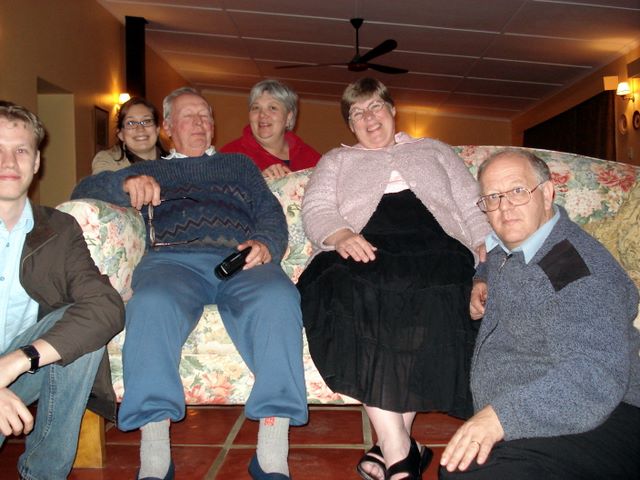
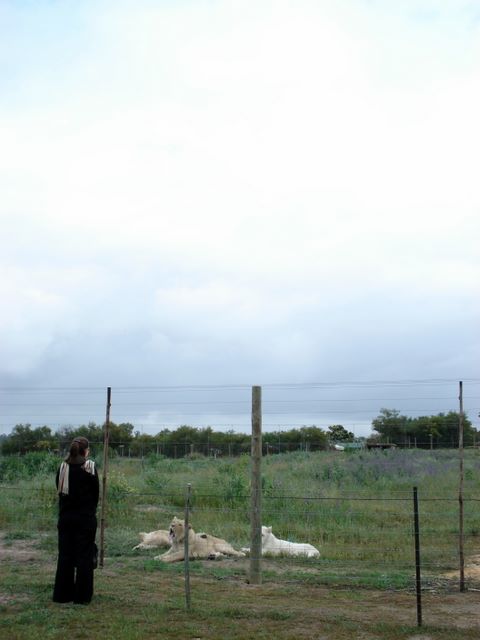
As promised — the photographs! Click on a thumbnail for a larger view.

Cape Town

Gordon’s Bay

Stellenbosch

Tulbagh

Drakenstein Lion Park